
What is ClickStick?
ClickStick is a small USB device that looks like a keyboard to your computer. Instead of real keys, it receives keystrokes from your phone/tablet and types them for you. Plug it in, tap a button in the mobile app — and ClickStick securely types your password on the computer. Nothing to install, no copy-and-paste, no fuss.
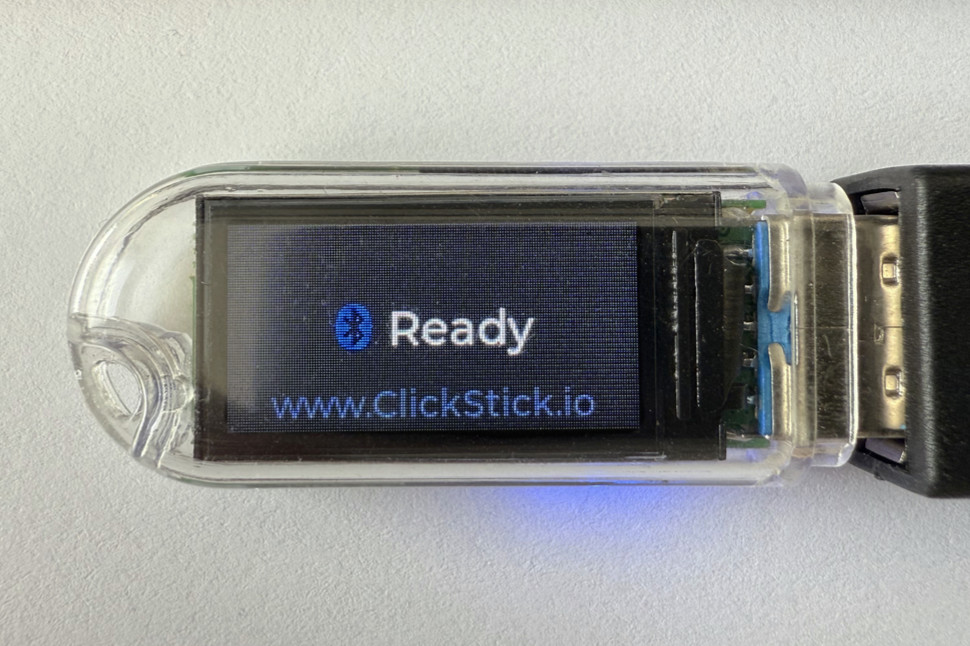
Whether you manage dozens of machines or simply want an easier way to log in, ClickStick turns your password manager into a USB keyboard. It's a handy time-saving tool for system administrators, field technicians, and other power users.
You can build your own ClickStick with our open-source firmware or buy a ready-made dongle (coming later).
What it's not
- Not a hacking tool — It won’t run Rubber Ducky scripts, scan networks, or operate on its own. ClickStick is built for transparent, authorized use.
- Not a password manager — The vault stays on your phone. The dongle only sees the one credential you choose to send — and then forgets it.
- Not a 2-factor key — ClickStick doesn’t perform FIDO, U2F, or OTP challenges. However, it can type out OTP codes from your mobile authenticator.
- Not a remote control software — Tools like VNC and TeamViewer need network access and software on the host. ClickStick works like a plug-and-play USB keyboard — locally, offline, and with the owner physically present.
- Not a USB drive — ClickStick never stores or transfers files; its only job is to send keystrokes.
Who it is for
For power users
- Typing complex passwords — With ClickStick, you can enter long passwords automatically in one attempt.
- Strict password policies — Use ClickStick to log in to your work account, be it Windows, Linux, macOS, or something more exotic — without extra software on the computer.
- On-screen keyboards — Easily sign in to game consoles and smart TVs that rely on on-screen keyboards.
- Hot-desking — Quickly log in to shared corporate workstations.
For system administrators
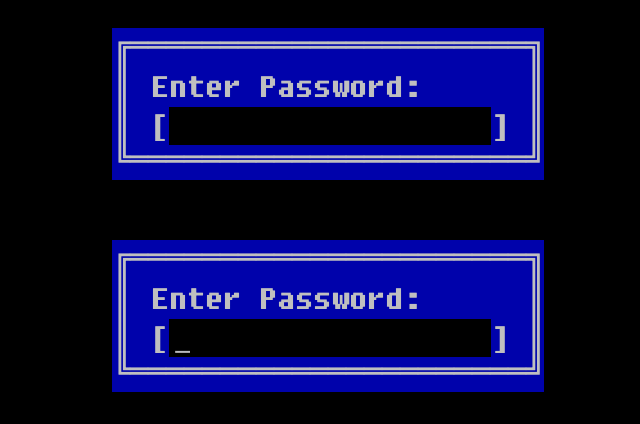
- Pre-boot environment — Enter BIOS/UEFI password, full-disk encryption passphrase, or other credentials before the OS starts.
- New machine setup — Auto-type provisioning scripts on freshly imaged hardware.
- Broken clipboard — Insert passwords to RDP or VM consoles where copy-paste is disabled.
- Isolated devices — Securely log in to offline or network-restricted routers and industrial PCs.
- Compromised computer — ClickStick reduces exposure only to the data you sent; everything else remains secure on your phone.
For presenters
- Precise demo timing — Schedule key presses in live demo systems like in your PowerPoint animations — no missed steps, no typos.
- Multiple demo stations — Sign in on classroom or conference PCs without exposing your vault.